How to Add Images and Descriptions to Boost Orders
How to Add Images and Descriptions to Boost Orders
Introduction
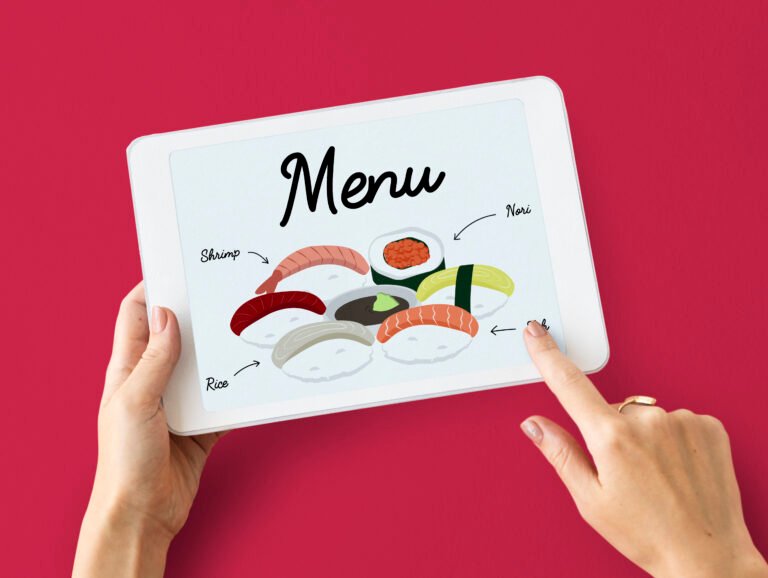
In today’s competitive food industry, presentation matters just as much as taste. A well-designed digital or online menu with high-quality images and compelling descriptions can significantly increase customer interest and boost orders.
Customers often decide what to order based on what they see and read. That’s why adding the right images and descriptions is a powerful strategy for increasing sales.
Why Images and Descriptions Matter
When customers browse a menu, they rely on visuals and details to make decisions. Strong images and clear descriptions:
- Capture attention instantly
- Build appetite and interest
- Help customers understand dishes
- Encourage higher spending
How Images Help Boost Orders
1. Make Food Look Irresistible
High-quality images make dishes more appealing and increase the chances of customers ordering them.
2. Build Customer Trust
Clear and realistic images show exactly what customers can expect, reducing confusion and disappointment.
3. Highlight Popular Items
Using images for best-selling dishes can guide customers toward high-demand items.
4. Increase Upselling
Customers are more likely to add extra items when they see attractive visuals.
Tips for Adding High-Quality Images
- Use professional or well-lit photos
- Keep the background clean and simple
- Focus on the dish presentation
- Avoid over-editing or unrealistic images
- Use consistent image style across the menu
How Descriptions Boost Orders
1. Explain the Dish Clearly
Descriptions help customers understand ingredients, flavors, and portion sizes.
2. Create Cravings with Words
Use sensory words like:
- Crispy
- Juicy
- Spicy
- Creamy
These words make dishes more appealing.
3. Highlight Unique Features
Mention what makes your dish special, such as:
- Special spices
- Homemade recipes
- Fresh ingredients
4. Help Customers Make Decisions
Clear descriptions reduce confusion and make ordering easier.
Tips for Writing Effective Descriptions
- Keep descriptions short and engaging
- Use simple and clear language
- Focus on benefits and taste
- Avoid overly long paragraphs
- Use keywords naturally for SEO
Best Practices for Combining Images and Descriptions
- Pair each image with a short description
- Highlight best-selling items with both visuals and text
- Maintain a clean layout
- Ensure fast loading speed
- Optimize for mobile devices
Common Mistakes to Avoid
- Using low-quality or blurry images
- Writing long, boring descriptions
- Overloading the menu with too many images
- Misleading visuals that don’t match the dish
- Ignoring mobile optimization
Conclusion
Adding high-quality images and engaging descriptions to your digital menu is one of the easiest ways to boost orders and increase sales. When done correctly, they create a strong visual and emotional connection with customers.
Focus on quality, clarity, and consistency—and you’ll see a noticeable improvement in customer engagement and revenue.
SEO Keywords Used:
How to Add Images and Descriptions to Boost Orders
Introduction
In today’s competitive food industry, presentation matters just as much as taste. A well-designed digital or online menu with high-quality images and compelling descriptions can significantly increase customer interest and boost orders.
Customers often decide what to order based on what they see and read. That’s why adding the right images and descriptions is a powerful strategy for increasing sales.
Why Images and Descriptions Matter
When customers browse a menu, they rely on visuals and details to make decisions. Strong images and clear descriptions:
- Capture attention instantly
- Build appetite and interest
- Help customers understand dishes
- Encourage higher spending
How Images Help Boost Orders
1. Make Food Look Irresistible
High-quality images make dishes more appealing and increase the chances of customers ordering them.
2. Build Customer Trust
Clear and realistic images show exactly what customers can expect, reducing confusion and disappointment.
3. Highlight Popular Items
Using images for best-selling dishes can guide customers toward high-demand items.
4. Increase Upselling
Customers are more likely to add extra items when they see attractive visuals.
Tips for Adding High-Quality Images
- Use professional or well-lit photos
- Keep the background clean and simple
- Focus on the dish presentation
- Avoid over-editing or unrealistic images
- Use consistent image style across the menu
How Descriptions Boost Orders
1. Explain the Dish Clearly
Descriptions help customers understand ingredients, flavors, and portion sizes.
2. Create Cravings with Words
Use sensory words like:
- Crispy
- Juicy
- Spicy
- Creamy
These words make dishes more appealing.
3. Highlight Unique Features
Mention what makes your dish special, such as:
- Special spices
- Homemade recipes
- Fresh ingredients
4. Help Customers Make Decisions
Clear descriptions reduce confusion and make ordering easier.
Tips for Writing Effective Descriptions
- Keep descriptions short and engaging
- Use simple and clear language
- Focus on benefits and taste
- Avoid overly long paragraphs
- Use keywords naturally for SEO
Best Practices for Combining Images and Descriptions
- Pair each image with a short description
- Highlight best-selling items with both visuals and text
- Maintain a clean layout
- Ensure fast loading speed
- Optimize for mobile devices
Common Mistakes to Avoid
- Using low-quality or blurry images
- Writing long, boring descriptions
- Overloading the menu with too many images
- Misleading visuals that don’t match the dish
- Ignoring mobile optimization
Conclusion
Adding high-quality images and engaging descriptions to your digital menu is one of the easiest ways to boost orders and increase sales. When done correctly, they create a strong visual and emotional connection with customers.
Focus on quality, clarity, and consistency—and you’ll see a noticeable improvement in customer engagement and revenue.
SEO Keywords Used: