Tips to Make Your Digital Menu More Attractive
Tips to Make Your Digital Menu More Attractive
Introduction
A digital menu is one of the most powerful tools for modern restaurants—but simply having one isn’t enough. To truly impress customers and increase sales, your menu needs to be visually appealing and easy to use.
An attractive digital menu not only grabs attention but also influences customer decisions. In this guide, we’ll share practical tips to make your digital menu more engaging and effective.
Why an Attractive Digital Menu Matters
A well-designed digital menu can:
- Capture customer interest instantly
- Improve user experience
- Increase order value
- Build a strong brand image
First impressions matter, and your menu plays a big role in shaping them.
Top Tips to Make Your Digital Menu More Attractive
1. Use High-Quality Food Images
Images are the first thing customers notice. Use clear, professional, and appetizing photos of your dishes to make them irresistible.
2. Keep the Design Clean and Simple
Avoid clutter. A clean layout with proper spacing makes it easier for customers to browse and choose items.
3. Use Eye-Catching Colors
Choose colors that match your brand and create a pleasant visual experience. Avoid using too many colors that can confuse users.
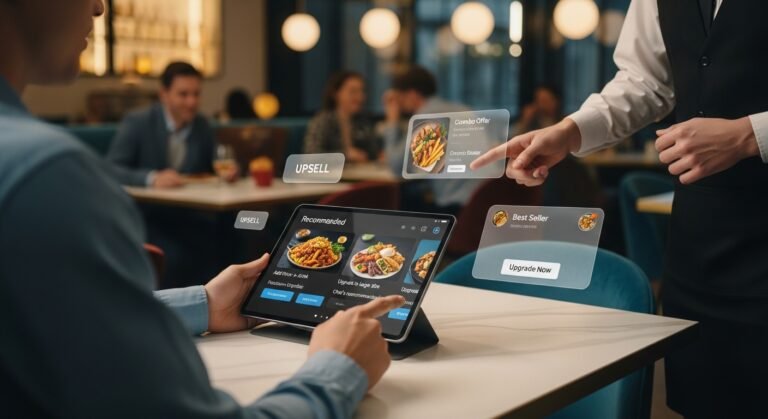
4. Highlight Best-Selling Items
Make your popular dishes stand out by labeling them as:
- “Best Seller”
- “Chef’s Special”
- “Recommended”
This guides customers toward high-demand items.
5. Write Engaging Descriptions
Use short and appealing descriptions that highlight taste, ingredients, and uniqueness. This helps customers imagine the dish.
6. Organize Menu Categories Clearly
Divide your menu into sections like:
- Starters
- Main Course
- Desserts
- Drinks
This makes navigation simple and user-friendly.
7. Ensure Mobile Optimization
Most users will access your menu on their phones. Make sure it loads quickly and looks perfect on all screen sizes.
8. Add Icons and Visual Cues
Use icons for:
- Spicy items 🌶️
- Vegetarian options 🥗
- New dishes ⭐
These small details improve usability.
9. Use Smart Pricing Techniques
Display prices clearly but avoid making them the main focus. Highlight value deals and combos instead.
10. Include Call-to-Action (CTA)
Encourage users to take action with buttons like:
- “Order Now”
- “Add to Cart”
- “View Details”
11. Keep It Fast and Responsive
Optimize your menu for speed. Slow loading can drive customers away.
12. Update Regularly
Keep your menu fresh by adding new items, seasonal dishes, and special offers.
Common Mistakes to Avoid
- Low-quality images
- Overcrowded layout
- Too many font styles
- Outdated menu items
- Slow loading speed
Conclusion
An attractive digital menu can significantly improve customer experience and boost your sales. By focusing on design, clarity, and visual appeal, you can create a menu that not only looks great but also performs well.
Invest time in improving your digital menu, and you’ll see the difference in customer engagement and revenue.